Coordinates NOW!2.0
Publisher Description
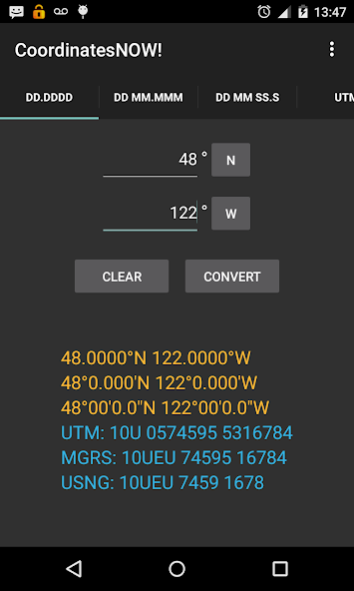
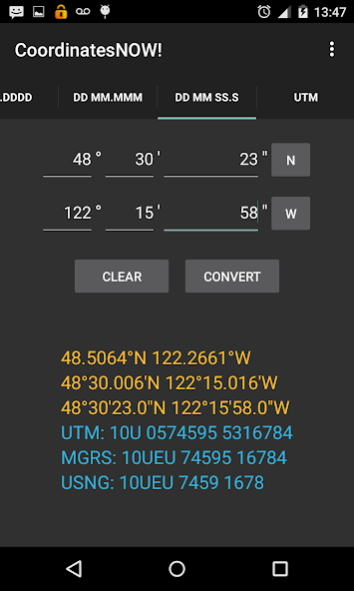
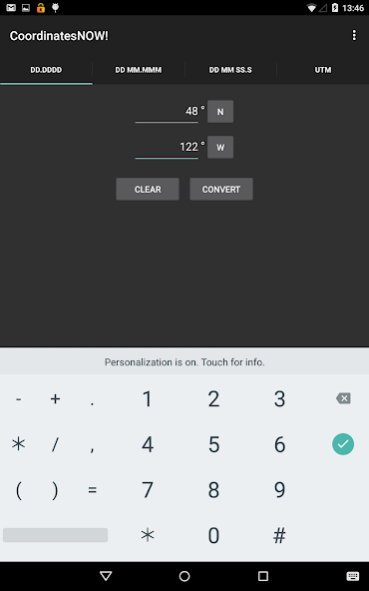
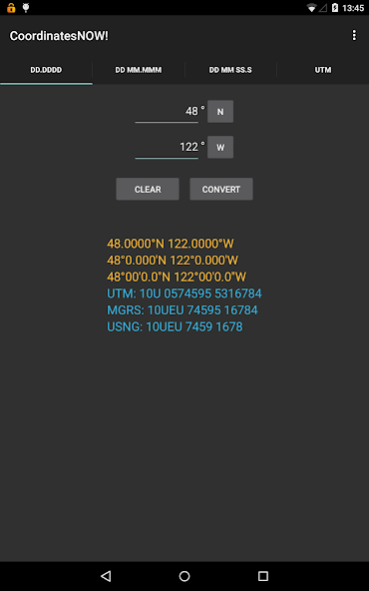
A geographical coordinates converter with simple/fast input screens for Lat/Lon and UTM. Enter a coordinate and press the "Convert" button (or trigger the GPS instead), and get ALL supported formats at once! Useful for SAR, CAP, and DEM organizations to quickly convert coordinates. Also displays MGRS, USNG, Maidenhead Grid, and STREET ADDRESS. Includes "Get GPS Location" feature to read your location from the device's GPS and auto-convert. Will display street addrss if available and within range of cell-sites. Written by a SAR guy & Ham.
• Lat/Lon to UTM, MGRS, USNG, Maidenhead Grid, and Street Address.
• UTM to Lat/Lon, MGRS, USNG, Maidenhead Grid, and Street Address.
• Instant conversion to ALL supported coordinate systems.
• GPS -> Coordinate conversion.
• Fastest possible way to convert coordinates!
About Coordinates NOW!
The company that develops Coordinates NOW! is SarGuy Digital. The latest version released by its developer is 2.0.
To install Coordinates NOW! on your Android device, just click the green Continue To App button above to start the installation process. The app is listed on our website since 2023-02-24 and was downloaded 3 times. We have already checked if the download link is safe, however for your own protection we recommend that you scan the downloaded app with your antivirus. Your antivirus may detect the Coordinates NOW! as malware as malware if the download link to com.sarguydigital.CoordinatesNOW is broken.
How to install Coordinates NOW! on your Android device:
- Click on the Continue To App button on our website. This will redirect you to Google Play.
- Once the Coordinates NOW! is shown in the Google Play listing of your Android device, you can start its download and installation. Tap on the Install button located below the search bar and to the right of the app icon.
- A pop-up window with the permissions required by Coordinates NOW! will be shown. Click on Accept to continue the process.
- Coordinates NOW! will be downloaded onto your device, displaying a progress. Once the download completes, the installation will start and you'll get a notification after the installation is finished.
Program Details
System requirements
Download information
Pricing
Version History
version 2.0
posted on 2023-02-24
v2.0: Updated the "About" file.
v1.9: Now displays street address when using GPS for input (Requires cell coverage for this one feature).
version 1.6
posted on 2017-01-30
Updated permissions code for Android 6 and 7. Added to GPS code: It turns GPS OFF on first fix or timeout (set to 45 seconds). Reports speed/altitude/gps accuracy.
version 1.5
posted on 2015-02-17
Fixed issues with DD MM.MMM and DD MM SS conversions to other formats. Allow snagging Last Known Position from the GPS from all three Lat/Long screens.
